<!DOCTYPE html>
	<html lang="vi" xmlns="http://www.w3.org/1999/xhtml" prefix="og: http://ogp.me/ns#">
	<head>
<title>BÀI TUYÊN TRUYỀN CÀI ĐẶT VÀ SỬ DỤNG ỨNG DỤNG VNeID</title>
<meta name="description" content="BÀI TUYÊN TRUYỀN CÀI ĐẶT VÀ SỬ DỤNG ỨNG DỤNG VNeID - Savefile - Tin Tức -...">
<meta name="author" content="TRƯỜNG TIỂU HỌC THANH CAO">
<meta name="copyright" content="TRƯỜNG TIỂU HỌC THANH CAO [thinhvuongvn73@gmail.com]">
<meta name="generator" content="NukeViet v4.5">
<meta name="viewport" content="width=device-width, initial-scale=1">
<meta http-equiv="Content-Type" content="text/html; charset=utf-8">
<meta property="og:title" content="BÀI TUYÊN TRUYỀN CÀI ĐẶT VÀ SỬ DỤNG ỨNG DỤNG VNeID">
<meta property="og:type" content="website">
<meta property="og:description" content="Savefile - Tin Tức - https&#x3A;&#x002F;&#x002F;ththanhcao.xabinhminh.edu.vn&#x002F;savefile&#x002F;bai-viet-tuyen-truyen&#x002F;bai-tuyen-truyen-cai-dat-va-su-dung-ung-dung-vneid-194.html">
<meta property="og:site_name" content="TRƯỜNG TIỂU HỌC THANH CAO">
<meta property="og:url" content="https://ththanhcao.xabinhminh.edu.vn/savefile/bai-viet-tuyen-truyen/bai-tuyen-truyen-cai-dat-va-su-dung-ung-dung-vneid-194.html">
<link rel="shortcut icon" href="https://ththanhcao.xabinhminh.edu.vn/uploads/ththanhcao/z6051917869363_37b24960fbe4ea3b4c245db405c811fe.jpg">
<link rel="canonical" href="https://ththanhcao.xabinhminh.edu.vn/savefile/bai-viet-tuyen-truyen/bai-tuyen-truyen-cai-dat-va-su-dung-ung-dung-vneid-194.html">
<link rel="alternate" href="https://ththanhcao.xabinhminh.edu.vn/rss/" title="Tin Tức" type="application/rss+xml">
<link rel="alternate" href="https://ththanhcao.xabinhminh.edu.vn/rss/thong-bao/" title="Tin Tức - THÔNG BÁO" type="application/rss+xml">
<link rel="alternate" href="https://ththanhcao.xabinhminh.edu.vn/rss/tin-tuc-su-kien/" title="Tin Tức - TIN TỨC - SỰ KIỆN" type="application/rss+xml">
<link rel="alternate" href="https://ththanhcao.xabinhminh.edu.vn/rss/thu-tuc-hanh-chinh/" title="Tin Tức - Thủ tục hành chính" type="application/rss+xml">
<link rel="alternate" href="https://ththanhcao.xabinhminh.edu.vn/rss/hoat-dong-chuyen-mon/" title="Tin Tức - HOẠT ĐỘNG DẠY - HỌC" type="application/rss+xml">
<link rel="alternate" href="https://ththanhcao.xabinhminh.edu.vn/rss/hoat-dong-chuyen-mon-22/" title="Tin Tức - Hoạt động chuyên môn" type="application/rss+xml">
<link rel="alternate" href="https://ththanhcao.xabinhminh.edu.vn/rss/lich-hoc-truc-tuyen/" title="Tin Tức - Lịch học trực tuyến" type="application/rss+xml">
<link rel="alternate" href="https://ththanhcao.xabinhminh.edu.vn/rss/lop-1/" title="Tin Tức - Lớp 1" type="application/rss+xml">
<link rel="alternate" href="https://ththanhcao.xabinhminh.edu.vn/rss/lop-2/" title="Tin Tức - Lớp 2" type="application/rss+xml">
<link rel="alternate" href="https://ththanhcao.xabinhminh.edu.vn/rss/lop-3/" title="Tin Tức - Lớp 3" type="application/rss+xml">
<link rel="alternate" href="https://ththanhcao.xabinhminh.edu.vn/rss/lop-4/" title="Tin Tức - Lớp 4" type="application/rss+xml">
<link rel="alternate" href="https://ththanhcao.xabinhminh.edu.vn/rss/lop-5/" title="Tin Tức - Lớp 5" type="application/rss+xml">
<link rel="alternate" href="https://ththanhcao.xabinhminh.edu.vn/rss/phong-chong-dich-benh-theo-mua/" title="Tin Tức - PHÒNG CHỐNG DỊCH BỆNH THEO MÙA" type="application/rss+xml">
<link rel="alternate" href="https://ththanhcao.xabinhminh.edu.vn/rss/tuyen-sinh/" title="Tin Tức - TUYỂN SINH" type="application/rss+xml">
<link rel="alternate" href="https://ththanhcao.xabinhminh.edu.vn/rss/cong-tac-chuyen-mon/" title="Tin Tức - CÔNG TÁC ĐOÀN; ĐỘI TNTP HỒ CHÍ MINH" type="application/rss+xml">
<link rel="alternate" href="https://ththanhcao.xabinhminh.edu.vn/rss/cong-tac-dang/" title="Tin Tức - Công tác đảng" type="application/rss+xml">
<link rel="alternate" href="https://ththanhcao.xabinhminh.edu.vn/rss/cong-doan-nganh/" title="Tin Tức - Hoạt động công đoàn" type="application/rss+xml">
<link rel="alternate" href="https://ththanhcao.xabinhminh.edu.vn/rss/pho-bien-giao-duc-phap-luat/" title="Tin Tức - Phổ biến giáo dục pháp luật" type="application/rss+xml">
<link rel="alternate" href="https://ththanhcao.xabinhminh.edu.vn/rss/bai-viet-tuyen-truyen/" title="Tin Tức - Bài viết tuyên truyền" type="application/rss+xml">
<link rel="alternate" href="https://ththanhcao.xabinhminh.edu.vn/rss/chuyen-muc-nguoi-tot-viec-tot/" title="Tin Tức - Chuyên mục Người tốt - Việc tốt" type="application/rss+xml">
<link rel="alternate" href="https://ththanhcao.xabinhminh.edu.vn/rss/hoc-tap-va-lam-theo-tu-tuong-dao-duc-phong-cach-ho-chi-minh/" title="Tin Tức - Học tập và làm theo tư tưởng, đạo đức, phong cách Hồ Chí Minh" type="application/rss+xml">
<link rel="alternate" href="https://ththanhcao.xabinhminh.edu.vn/rss/hoat-dong-thu-vien/" title="Tin Tức - Hoạt động thư viện" type="application/rss+xml">
<link rel="alternate" href="https://ththanhcao.xabinhminh.edu.vn/rss/cong-khai/" title="Tin Tức - Công khai" type="application/rss+xml">
<link rel="preload" as="style" href="https://ththanhcao.xabinhminh.edu.vn/assets/css/font-awesome.min.css" type="text/css">
<link rel="preload" as="style" href="https://ththanhcao.xabinhminh.edu.vn/themes/edu25th/css/hover.css" type="text/css">
<link rel="preload" as="style" href="https://ththanhcao.xabinhminh.edu.vn/themes/edu25th/css/bootstrap.min.css" type="text/css">
<link rel="preload" as="style" href="https://ththanhcao.xabinhminh.edu.vn/themes/edu25th/css/style.css" type="text/css">
<link rel="preload" as="style" href="https://ththanhcao.xabinhminh.edu.vn/themes/edu25th/css/style.responsive.css" type="text/css">
<link rel="preload" as="style" href="https://ththanhcao.xabinhminh.edu.vn/themes/edu25th/css/news.css" type="text/css">
<link rel="preload" as="style" href="https://ththanhcao.xabinhminh.edu.vn/themes/edu25th/css/custom.css" type="text/css">
<link rel="preload" as="script" href="https://ththanhcao.xabinhminh.edu.vn/assets/js/jquery/jquery.min.js" type="text/javascript">
<link rel="preload" as="script" href="https://ththanhcao.xabinhminh.edu.vn/assets/js/language/vi.js" type="text/javascript">
<link rel="preload" as="script" href="https://ththanhcao.xabinhminh.edu.vn/assets/js/DOMPurify/purify3.js" type="text/javascript">
<link rel="preload" as="script" href="https://ththanhcao.xabinhminh.edu.vn/assets/js/global.js" type="text/javascript">
<link rel="preload" as="script" href="https://ththanhcao.xabinhminh.edu.vn/assets/js/site.js" type="text/javascript">
<link rel="preload" as="script" href="https://ththanhcao.xabinhminh.edu.vn/themes/edu25th/js/news.js" type="text/javascript">
<link rel="preload" as="script" href="https://ththanhcao.xabinhminh.edu.vn/themes/edu25th/js/main.js" type="text/javascript">
<link rel="preload" as="script" href="https://ththanhcao.xabinhminh.edu.vn/themes/edu25th/js/custom.js" type="text/javascript">
<link rel="preload" as="script" href="https://ththanhcao.xabinhminh.edu.vn/themes/edu25th/js/bootstrap.min.js" type="text/javascript">
<link rel="StyleSheet" href="https://ththanhcao.xabinhminh.edu.vn/assets/css/font-awesome.min.css">
<link rel="StyleSheet" href="https://ththanhcao.xabinhminh.edu.vn/themes/edu25th/css/hover.css">
<link rel="StyleSheet" href="https://ththanhcao.xabinhminh.edu.vn/themes/edu25th/css/bootstrap.min.css">
<link rel="StyleSheet" href="https://ththanhcao.xabinhminh.edu.vn/themes/edu25th/css/style.css">
<link rel="StyleSheet" href="https://ththanhcao.xabinhminh.edu.vn/themes/edu25th/css/style.responsive.css">
<link rel="StyleSheet" href="https://ththanhcao.xabinhminh.edu.vn/themes/edu25th/css/news.css">
<link rel="StyleSheet" href="https://ththanhcao.xabinhminh.edu.vn/themes/edu25th/css/custom.css">
<style type="text/css">
	body{background: #fff;}
</style>
	</head>
	<body>
<div id="print">
	<div id="hd_print">
		<h2 class="pull-left">TRƯỜNG TIỂU HỌC THANH CAO</h2>
		<p class="pull-right"><a title="TRƯỜNG TIỂU HỌC THANH CAO" href="https://ththanhcao.xabinhminh.edu.vn/">https://ththanhcao.xabinhminh.edu.vn</a></p>
	</div>
	<div class="clear"></div>
	<hr />
	<div id="content">
		<h1>BÀI TUYÊN TRUYỀN CÀI ĐẶT VÀ SỬ DỤNG ỨNG DỤNG VNeID</h1>
		<ul class="list-inline">
			<li>Thứ ba - 26/07/2022 22:21</li>
			<li class="hidden-print txtrequired"><em class="fa fa-print">&nbsp;</em><a title="In ra" href="javascript:;" onclick="window.print()">In ra</a></li>
			<li class="hidden-print txtrequired"><em class="fa fa-power-off">&nbsp;</em><a title="Đóng cửa sổ này" href="javascript:;" onclick="window.close()">Đóng cửa sổ này</a></li>
		</ul>
		<div class="clear"></div>
		<div id="hometext">
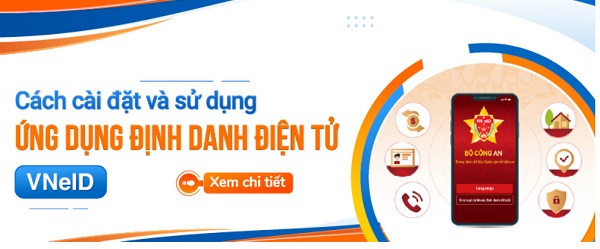
			VNeID là ứng dụng của Bộ Công an nhằm thay thế các giấy tờ định danh công dân. Ngày nay, với cơ chế chuyển đổi số và giảm thủ tục giấy tờ hành chính rườm rà, ứng dụng VNeID trên điện thoại di động đã ra đời nhằm hỗ trợ cho vấn đề này và đang dần được sử dụng phổ biến. Sau đây là cách cài đặt và sử dụng ứng dụng Vneid.
		</div>
				<div class="imghome">
			<img alt="BÀI TUYÊN TRUYỀN CÀI ĐẶT VÀ SỬ DỤNG ỨNG DỤNG VNeID" src="https://ththanhcao.xabinhminh.edu.vn/uploads/ththanhcao/news/2022_07/z5432703408510_ab3a76bd977d9ba44d3ac871c79d05be.jpg" width="460" class="img-thumbnail" />
		</div>
		<div class="clear"></div>
		<div id="bodytext" class="clearfix">
			<p><span style="font-size:12pt"><span style="background:white"><span style="font-family:&#039;Times New Roman&#039;,serif"><span style="font-size:14.0pt"><span style="color:rgb(51, 51, 51);">Ngày 18/7/2022 Cục Cảnh sát QLHC về TTXH – Bộ Công an tổ chức họp báo công bố Ứng dụng định danh điện tử (Ứng dụng VNeID) chính thức được đưa vào hoạt động.</span></span></span></span></span><br />
<span style="font-size:12pt"><span style="background:white"><span style="font-family:&#039;Times New Roman&#039;,serif"><span style="font-size:14.0pt"><span style="color:rgb(51, 51, 51);">Ứng dụng VNeID là ứng dụng do Trung tâm dữ liệu quốc gia về dân cư - Bộ Công an Việt Nam phát triển dựa trên nền tảng ứng dụng dữ liệu về dân cư, định danh và xác thực điện tử, được áp dụng cho người đang sống và du lịch tại Việt Nam.</span></span></span></span></span><br />
<span style="font-size:12pt"><span style="background:white"><span style="font-family:&#039;Times New Roman&#039;,serif"><span style="font-size:14.0pt"><span style="color:rgb(51, 51, 51);">Ứng dụng VNeID có giá trị sử dụng thay thế các giấy tờ truyền thống, định danh công dân trên môi trường kỹ thuật số, cung cấp các tiện ích phát triển công dân số, chính phủ số, xã hội số, giúp công dân khai báo y tế và khai báo di chuyển nội địa một cách nhanh chóng. Ngoài ra ứng dụng giúp Cơ quan chức năng truy vết các ca lây nhiễm COVID-19 thứ phát và thông báo cho người dân kịp thời.</span></span></span></span></span><br />
<span style="font-size:12pt"><span style="background:white"><span style="font-family:&#039;Times New Roman&#039;,serif"><span style="font-size:14.0pt"><span style="color:rgb(51, 51, 51);">Ứng dụng VNeID gắn với sử dụng tài khoản định danh và xác thực điện tử đã được đưa lên 02 kho ứng dụng AppStore (hệ điều hành IOS) và CHPlay (hệ điều hành Android) để người dân tải, cài đặt và sử dụng.</span></span></span></span></span><br />
<span style="font-size:12pt"><span style="background:white"><span style="font-family:&#039;Times New Roman&#039;,serif"><span style="font-size:14.0pt"><span style="color:rgb(51, 51, 51);">Người dân sau khi kích hoạt tài khoản định danh điện tử mức 1/mức 2 thành công có thể đăng nhập và sử dụng các chức năng, tiện ích trên ứng dụng VNeID như: Giải quyết dịch vụ công trực tuyến: thông báo lưu trú, đăng ký thường trú, tạm trú, khai báo tạm vắng… sẽ tự điền thông tin vào các biểu mẫu (form) đăng ký mà không phải khai báo, điền thông tin nhiều lần giúp tiết kiệm được nhiều thời gian, chi phí cho các loại biểu mẫu kê khai, giảm nhiều khâu thủ tục cần giải quyết. Ứng dụng có các tính năng nổi bật như: Ví giấy tờ, thông báo lưu trú, tố giác tội phạm…giúp công dân có thể thay thế CCCD gắn chíp và các loại giấy tờ đã đăng ký tích hợp hiển thị trên ứng dụng VNeID như: giấy phép lái xe, đăng ký xe, bảo hiểm y tế... Như vậy, khi người dân giao dịch hành chính sẽ giảm tối đa các giấy tờ phải mang theo, thực hiện các giao dịch tài chính như thanh toán hóa đơn điện, nước, đóng bảo hiểm xã hội và bảo hiểm y tế, chuyển tiền...</span></span></span></span></span><br />
<span style="font-size:12pt"><span style="background:white"><span style="font-family:&#039;Times New Roman&#039;,serif">     <img alt="" id="_x0000_i1036" src="" style="width:24.3pt; height:24.3pt" />&nbsp;     <img alt="" id="_x0000_i1035" src="" style="width:24.3pt; height:24.3pt" />&nbsp;<span style="font-size:14.0pt"><span style="color:rgb(51, 51, 51);">Hướng dẫn kích hoạt tài khoản định danh và xác thực điện tử trên ứng dụng VNeID</span></span></span></span></span><br />
<span style="font-size:12pt"><span style="background:white"><span style="font-family:&#039;Times New Roman&#039;,serif"><span style="font-size:14.0pt"><span style="color:rgb(51, 51, 51);">1. Đối tượng hướng dẫn:</span></span></span></span></span><br />
<span style="font-size:12pt"><span style="background:white"><span style="font-family:&#039;Times New Roman&#039;,serif">     <img alt="" id="_x0000_i1034" src="" style="width:24.3pt; height:24.3pt" /><span style="font-size:14.0pt"><span style="color:rgb(51, 51, 51);">Công dân đã có hồ sơ đăng ký tài khoản định danh và xác thực điện tử, đang chờ phê duyệt, cấp tài khoản;</span></span></span></span></span><br />
<span style="font-size:12pt"><span style="background:white"><span style="font-family:&#039;Times New Roman&#039;,serif">     <img alt="" id="_x0000_i1033" src="" style="width:24.3pt; height:24.3pt" /><span style="font-size:14.0pt"><span style="color:rgb(51, 51, 51);">Công dân làm thủ tục cấp tài khoản định danh và xác thực điện tử gắn với cấp đổi, cấp mới, cấp lại Căn cước công dân gắn chip;</span></span></span></span></span><br />
<span style="font-size:12pt"><span style="background:white"><span style="font-family:&#039;Times New Roman&#039;,serif">     <img alt="" id="_x0000_i1032" src="" style="width:24.3pt; height:24.3pt" /><span style="font-size:14.0pt"><span style="color:rgb(51, 51, 51);">Công dân làm thủ tục cấp tài khoản định danh và xác thực điện tử khi đã có thẻ Căn cước công dân gắn chip.</span></span></span></span></span><br />
<span style="font-size:12pt"><span style="background:white"><span style="font-family:&#039;Times New Roman&#039;,serif"><span style="font-size:14.0pt"><span style="color:rgb(51, 51, 51);">2. Nội dung hướng dẫn:</span></span></span></span></span><br />
<span style="font-size:12pt"><span style="background:white"><span style="font-family:&#039;Times New Roman&#039;,serif">     <img alt="" id="_x0000_i1031" src="" style="width:24.3pt; height:24.3pt" /><span style="font-size:14.0pt"><span style="color:rgb(51, 51, 51);">Bước 1: Tải ứng dụng</span></span></span></span></span><br />
<span style="font-size:12pt"><span style="background:white"><span style="font-family:&#039;Times New Roman&#039;,serif"><span style="font-size:14.0pt"><span style="color:rgb(51, 51, 51);">+ Đối với thiết bị sử dụng hệ điều hành Android: Trên thiết bị di động, người dân mở ứng dụng CH Play → Tại thanh công cụ tìm kiếm tìm từ khoá “VNeID” → Sau khi App cần tải hiển thị → Chọn “Cài đặt” để tải ứng dụng VNeID về máy.</span></span></span></span></span><br />
<span style="font-size:12pt"><span style="background:white"><span style="font-family:&#039;Times New Roman&#039;,serif"><span style="font-size:14.0pt"><span style="color:rgb(51, 51, 51);">+ Đối với thiết bị sử dụng hệ điều hành IOS: Trên thiết bị di động, người dân mở ứng dụng AppStore → Tại mục Tìm kiếm tìm từ khoá “VNeID” → Sau khi App cần tải hiển thị → Chọn “Nhận” để tải ứng dụng VNeID về máy.</span></span></span></span></span><br />
<span style="font-size:12pt"><span style="background:white"><span style="font-family:&#039;Times New Roman&#039;,serif">     <img alt="" id="_x0000_i1030" src="" style="width:24.3pt; height:24.3pt" /><span style="font-size:14.0pt"><span style="color:rgb(51, 51, 51);">Bước 2: Mở ứng dụng</span></span></span></span></span><br />
<span style="font-size:12pt"><span style="background:white"><span style="font-family:&#039;Times New Roman&#039;,serif"><span style="font-size:14.0pt"><span style="color:rgb(51, 51, 51);">Sau khi tải xong, người dân ấn vào ứng dụng VNeID trên màn hình chính hoặc chọn “Mở” trên AppStore/CHPlay để bắt đầu sử dụng.</span></span></span></span></span><br />
<span style="font-size:12pt"><span style="background:white"><span style="font-family:&#039;Times New Roman&#039;,serif">     <img alt="" id="_x0000_i1029" src="" style="width:24.3pt; height:24.3pt" /><span style="font-size:14.0pt"><span style="color:rgb(51, 51, 51);">Bước 3: Đăng ký tài khoản ứng dụng VneID</span></span></span></span></span><br />
<span style="font-size:12pt"><span style="background:white"><span style="font-family:&#039;Times New Roman&#039;,serif"><span style="font-size:14.0pt"><span style="color:rgb(51, 51, 51);">Tại màn hình đăng ký, công dân điền số định danh cá nhân và số điện thoại của mình để đăng ký → Sau khi nhập thông tin hợp lệ ấn “Đăng ký” thì hiển thị giao diện quét mã QR code thẻ CCCD, người dân đưa mã QR trên thẻ CCCD gắn chip vào khung hình → Trường hợp quét QR code hợp lệ hệ thống tự động điền các thông tin trong QR code thẻ chip vào form đăng ký tài khoản (Trường hợp “Không quét được QR code” hệ thống chuyển sang giao diện Nhập thông tin đăng ký tài khoản. Công dân nhập thông tin còn trống) → Sau khi ấn nút “Đăng ký”, hệ thống sẽ gửi yêu cầu xác thực thông tin sang Cơ sở dữ liệu Quốc gia về dân cư → Trường hợp “Đạt” thì hệ thống gửi SMS và thực hiện xác thực (Trường hợp “Không đạt” sẽ hiển thị thông báo đề nghị công dân điều chỉnh lại thông tin) → Xác thực OTP, người dân nhập mã OTP được gửi về điện thoại để tiến hành xác thực → Sau khi xác thực thành công, người dân thiết lập mật khẩu để hoàn thành việc đăng ký.</span></span></span></span></span><br />
<span style="font-size:12pt"><span style="background:white"><span style="font-family:&#039;Times New Roman&#039;,serif">     <img alt="" id="_x0000_i1028" src="" style="width:24.3pt; height:24.3pt" /><span style="font-size:14.0pt"><span style="color:rgb(51, 51, 51);">Bước 4: Đăng nhập tài khoản ứng dụng VNeID</span></span></span></span></span><br />
<span style="font-size:12pt"><span style="background:white"><span style="font-family:&#039;Times New Roman&#039;,serif"><span style="font-size:14.0pt"><span style="color:rgb(51, 51, 51);">Tại màn hình đăng nhập, người dân nhập số định danh cá nhân và mật khẩu vừa đăng ký để đăng nhập tài khoản ứng dụng VNeID.</span></span></span></span></span><br />
<span style="font-size:12pt"><span style="background:white"><span style="font-family:&#039;Times New Roman&#039;,serif">     <img alt="" id="_x0000_i1027" src="" style="width:24.3pt; height:24.3pt" /><span style="font-size:14.0pt"><span style="color:rgb(51, 51, 51);">Bước 5: Đăng ký tài khoản mức 1</span></span></span></span></span><br />
<span style="font-size:12pt"><span style="background:white"><span style="font-family:&#039;Times New Roman&#039;,serif"><span style="font-size:14.0pt"><span style="color:rgb(51, 51, 51);">Sau khi đăng nhập, lựa chọn “Đăng ký tài khoản mức 1” → Tại màn hình hướng dẫn đăng ký tài khoản mức 1, chọn “Bắt đầu” → Chọn “Tôi đã hiểu” để bắt đầu thực hiện đăng ký tài khoản mức 1 → Thực hiện quét NFC trên thẻ CCCD gắn chíp (đối với thiết bị không hỗ trợ NFC thì sẽ thực hiện quét mã QR Code trên thẻ CCCD gắn chíp) → Sau khi quét xong NFC (hoặc QR Code), hiển thị thông tin của người dân, chọn “Tiếp tục” để tiếp tục thực hiện chụp ảnh chân dung → Sau khi xem xong video lựa chọn “Bỏ qua” để tiến hành chụp ảnh chân dung và thực hiện chụp ảnh chân dung theo hướng dẫn → Người dân kiểm tra lại thông tin, nhập địa chỉ email (không bắt buộc) và chọn “Xác nhận thông tin đăng ký” để hoàn tất đăng ký tài khoản mức 1.</span></span></span></span></span><br />
<span style="font-size:12pt"><span style="background:white"><span style="font-family:&#039;Times New Roman&#039;,serif">     <img alt="" id="_x0000_i1026" src="" style="width:24.3pt; height:24.3pt" /><span style="font-size:14.0pt"><span style="color:rgb(51, 51, 51);">Bước 6: Kích hoạt tài khoản</span></span></span></span></span><br />
<span style="font-size:12pt"><span style="background:white"><span style="font-family:&#039;Times New Roman&#039;,serif"><span style="font-size:14.0pt"><span style="color:rgb(51, 51, 51);">Sau khi công dân đăng ký tài khoản mức 1 xong, người dân đợi SMS thông báo kích hoạt từ hệ thống VNeID. Sau đó, chọn “Kích hoạt tài khoản định danh điện tử” trên màn hình giới thiệu ứng dụng VNeID hoặc chọn “Kích hoạt” tại màn hình Đăng nhập → NSD nhập số định danh cá nhân và số điện thoại và ấn “Gửi yêu cầu” thì hệ thống sẽ kiểm tra mức độ tài khoản → Nếu là tài khoản ứng dụng VNeID sẽ hiển thị thông báo “tài khoản của bạn chưa được định danh điện tử”. Nếu là tài khoản mức 1/mức 2 nhưng đã được kích hoạt sẽ hiển thị thông báo “Tài khoản của bạn đã thực hiện kích hoạt”. Nếu là tài khoản mức 1/mức 2 chưa kích hoạt, thì sẽ kiểm tra thiết bị đang dùng để kích hoạt.</span></span></span></span></span><br />
<span style="font-size:12pt"><span style="background:white"><span style="font-family:&#039;Times New Roman&#039;,serif">     <img alt="" id="_x0000_i1025" src="" style="width:24.3pt; height:24.3pt" /><span style="font-size:14.0pt"><span style="color:rgb(51, 51, 51);">Bước 7: Kiểm tra thiết bị đang dùng để kích hoạt</span></span></span></span></span><br />
<span style="font-size:12pt"><span style="background:white"><span style="font-family:&#039;Times New Roman&#039;,serif"><span style="font-size:14.0pt"><span style="color:rgb(51, 51, 51);">Thiết bị đang dùng để kích hoạt không được gắn với tài khoản mức 1/ mức 2 nào sẽ hiển thị thông báo kích hoạt tài khoản. Hoặc thiết bị đang dùng để kích hoạt đang được kích hoạt để sử dụng với một tài khoản mức 1/ mức 2 khác sẽ hiển thị thông báo kích hoạt tài khoản trên thiết bị khác → Nhập mã kích hoạt hệ thống gửi về SMS, người dân nhập đúng mã OTP được gửi về số điện thoại đăng ký → Thiết lập mật khẩu (Bước này chỉ áp dụng cho các trường hợp công dân chưa có tài khoản trước khi được phê duyệt) → Thiết lập passcode: người dân thiết lập passcode gồm 6 chữ số để sử dụng cho các tiện ích trong ứng dụng → Thiết lập câu hỏi bảo mật: người dân thiết lập 2 câu hỏi và trả lời bất kỳ trong list câu hỏi bảo mật để thực hiện bảo mật tài khoản.</span></span></span></span></span><br />
<span style="font-size:12pt"><span style="background:white"><span style="font-family:&#039;Times New Roman&#039;,serif"><span style="font-size:14.0pt"><span style="color:rgb(51, 51, 51);">Vậy Trường TH Thanh Cao hướng dẫn để CB, GV, NV trong đơn vị được biết để cài đặt và sử dụng ứng dụng VneID nhằm thực hiện các giao dịch trên môi trường điện tử bảo đảm chính xác, thuận tiện và an toàn.</span></span></span></span></span><br />
<span style="font-size:14pt"><span style="line-height:107%"><span style="font-family:&#039;Times New Roman&#039;,serif">&nbsp;</span></span></span></p>

<p>&nbsp;</p>
		</div>
				<div id="author">
						<p>
				<strong>Tác giả:</strong>
				<a href="https://ththanhcao.xabinhminh.edu.vn/author/Tieu-hoc-Thanh-Cao/">Tiểu học Thanh Cao</a>
			</p>
		</div>
	</div>
	<div id="footer" class="clearfix">
		<div id="url">
			<strong>URL của bản tin này: </strong><a href="https://ththanhcao.xabinhminh.edu.vn/savefile/bai-viet-tuyen-truyen/bai-tuyen-truyen-cai-dat-va-su-dung-ung-dung-vneid-194.html" title="BÀI TUYÊN TRUYỀN CÀI ĐẶT VÀ SỬ DỤNG ỨNG DỤNG VNeID">https://ththanhcao.xabinhminh.edu.vn/savefile/bai-viet-tuyen-truyen/bai-tuyen-truyen-cai-dat-va-su-dung-ung-dung-vneid-194.html</a>

		</div>
		<div class="clear"></div>
		<div class="copyright">
			&copy; TRƯỜNG TIỂU HỌC THANH CAO
		</div>
		<div id="contact">
			<a href="mailto:thinhvuongvn73@gmail.com">thinhvuongvn73@gmail.com</a>
		</div>
	</div>
</div>
        <div id="timeoutsess" class="chromeframe">
            Bạn đã không sử dụng Site, <a onclick="timeoutsesscancel();" href="https://ththanhcao.xabinhminh.edu.vn/#">Bấm vào đây để duy trì trạng thái đăng nhập</a>. Thời gian chờ: <span id="secField"> 60 </span> giây
        </div>
        <div id="openidResult" class="nv-alert" style="display:none"></div>
        <div id="openidBt" data-result="" data-redirect=""></div>
<script src="https://ththanhcao.xabinhminh.edu.vn/assets/js/jquery/jquery.min.js"></script>
<script>var nv_base_siteurl="/",nv_lang_data="vi",nv_lang_interface="vi",nv_name_variable="nv",nv_fc_variable="op",nv_lang_variable="language",nv_module_name="news",nv_func_name="savefile",nv_is_user=0, nv_my_ofs=7,nv_my_abbr="+07",nv_cookie_prefix="nv4c_Cgoz2",nv_check_pass_mstime=1738000,nv_area_admin=0,nv_safemode=0,theme_responsive=1,nv_recaptcha_ver=2,nv_recaptcha_sitekey="6LcNwC8UAAAAAMm8ZTYNygweLUQtOU0IapbDRk69",nv_recaptcha_type="image",XSSsanitize=1;</script>
<script src="https://ththanhcao.xabinhminh.edu.vn/assets/js/language/vi.js"></script>
<script src="https://ththanhcao.xabinhminh.edu.vn/assets/js/DOMPurify/purify3.js"></script>
<script src="https://ththanhcao.xabinhminh.edu.vn/assets/js/global.js"></script>
<script src="https://ththanhcao.xabinhminh.edu.vn/assets/js/site.js"></script>
<script src="https://ththanhcao.xabinhminh.edu.vn/themes/edu25th/js/news.js"></script>
<script src="https://ththanhcao.xabinhminh.edu.vn/themes/edu25th/js/main.js"></script>
<script src="https://ththanhcao.xabinhminh.edu.vn/themes/edu25th/js/custom.js"></script>
<script src="https://ththanhcao.xabinhminh.edu.vn/themes/edu25th/js/bootstrap.min.js"></script>
</body>
</html>